

Manage reservation
Look up an existing reservation to complete payment or review trip details.
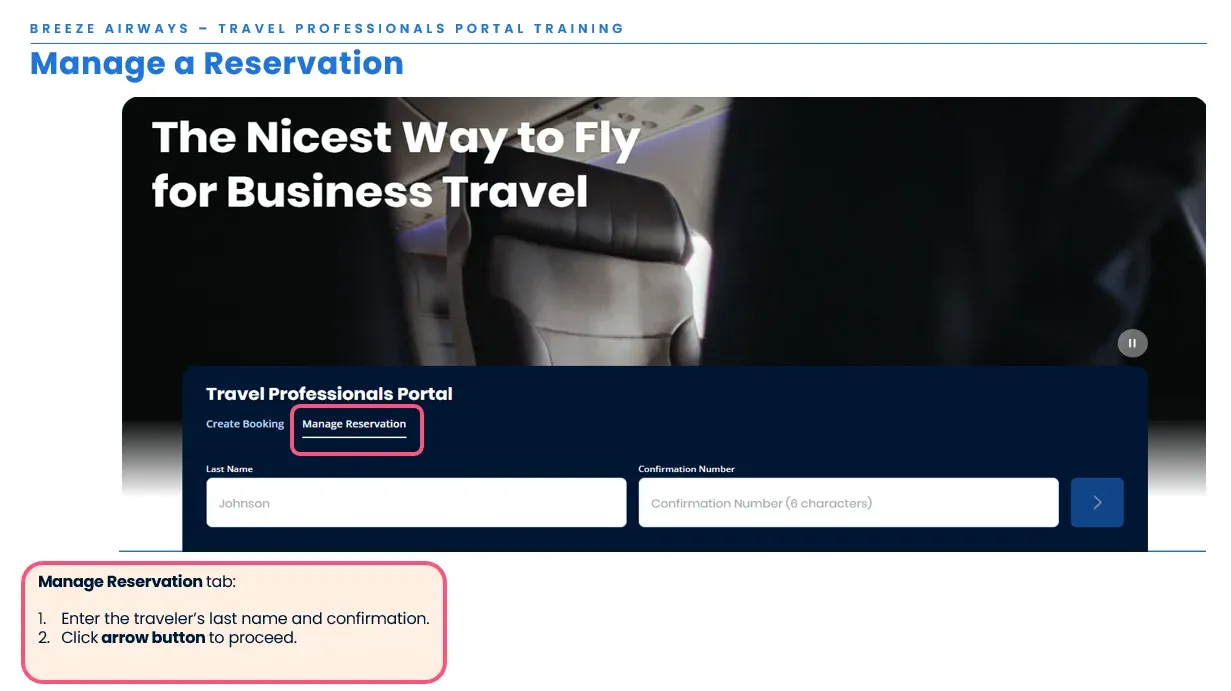
Retrieve reservation
Section titled “Retrieve reservation”- Enter the traveler’s last name and confirmation number
- Click arrow button to proceed
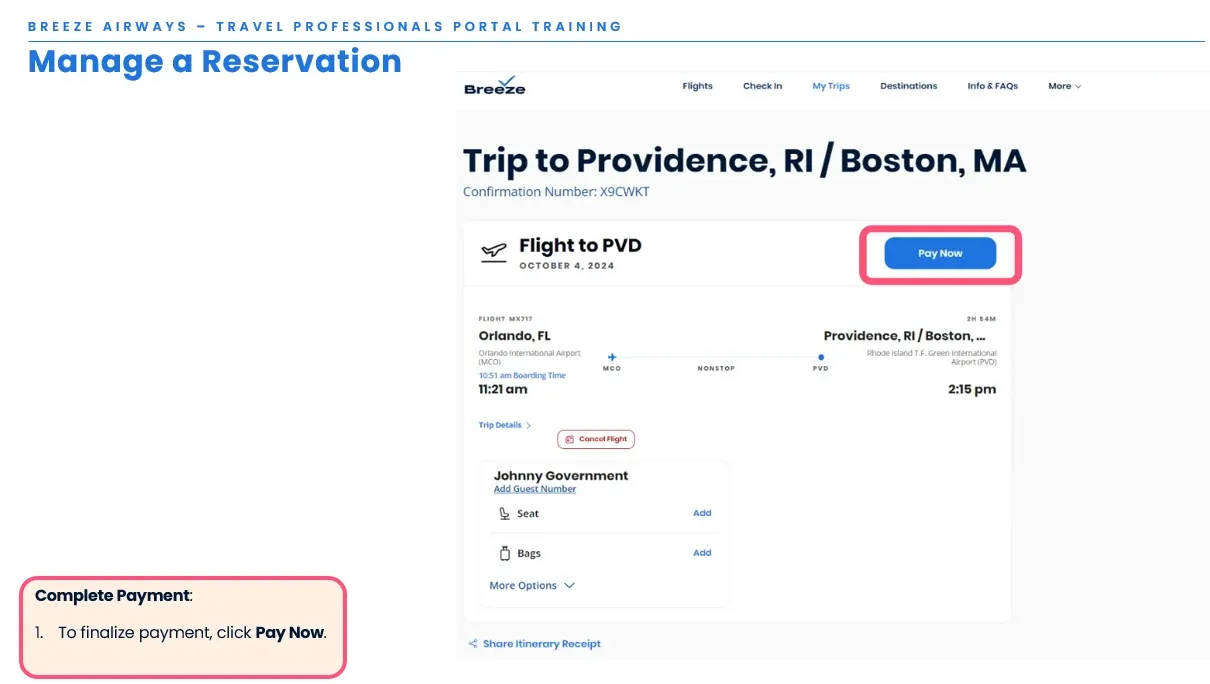
Complete reservation payment
Section titled “Complete reservation payment”- To finalize payment, click Pay Now
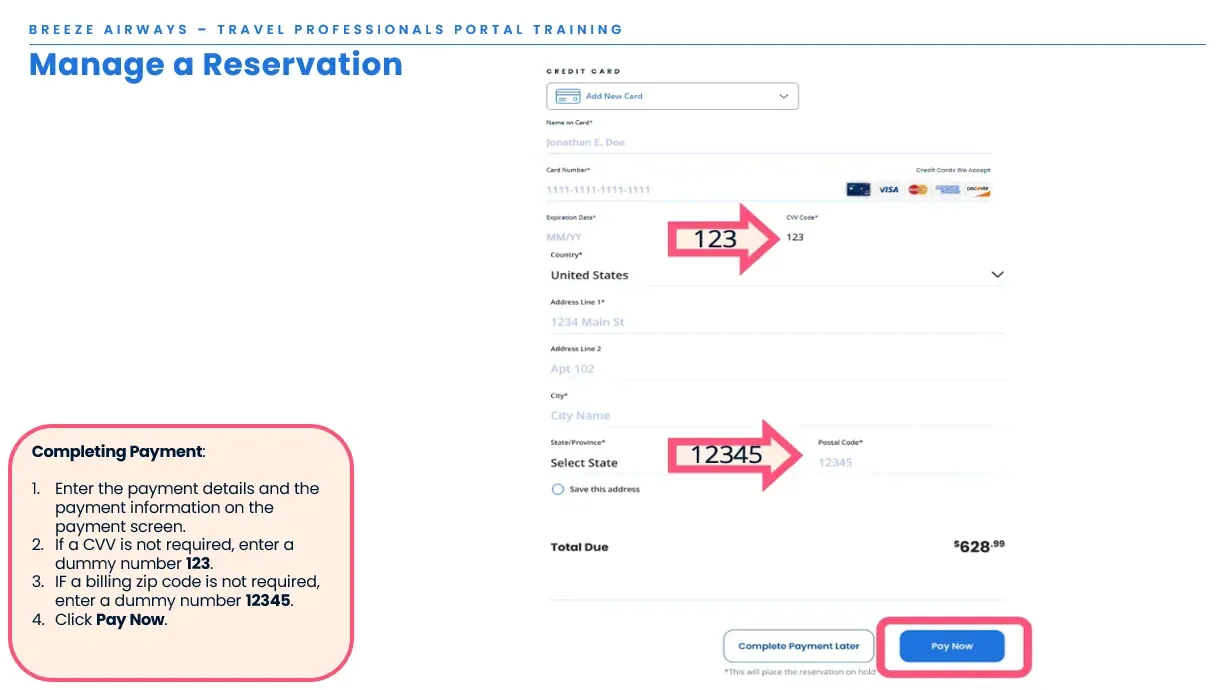
- Enter the payment details and billing information on the payment screen
- If a CVV is not required, enter a dummy number 123
- If a billing zip code is not required, enter a dummy number 12345
- Click Pay Now
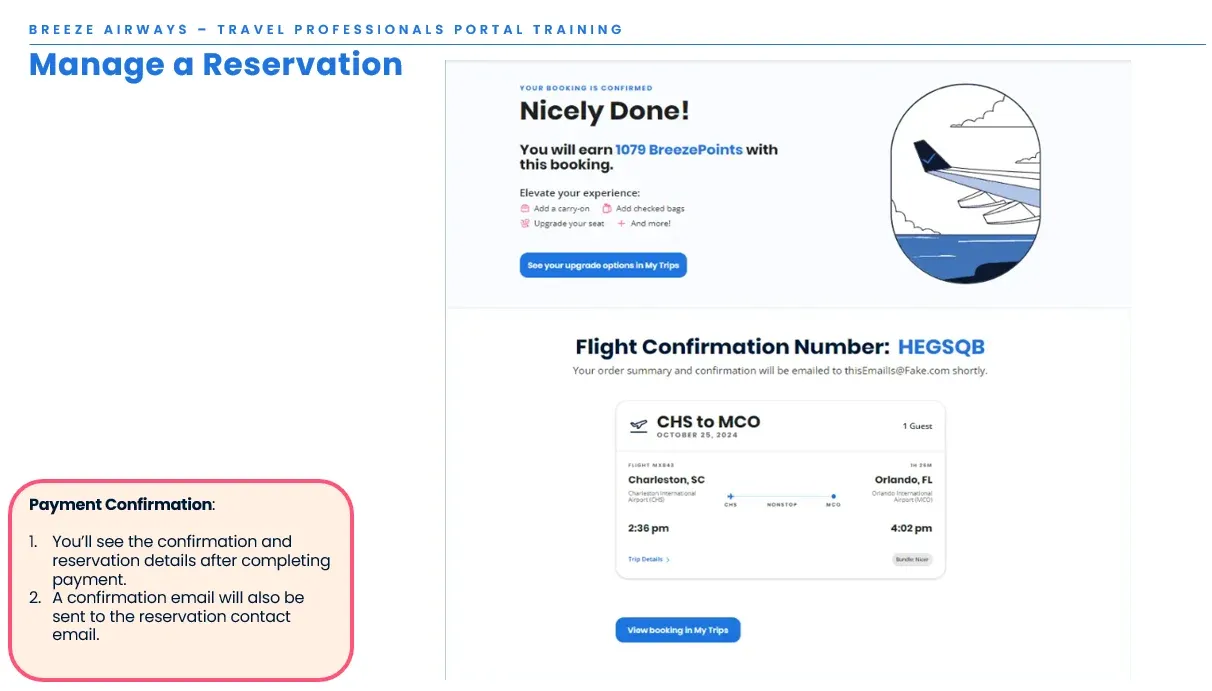
- You’ll see the confirmation and reservation details after completing payment
- A confirmation email will also be sent to the reservation contact email
Change travel dates
Section titled “Change travel dates”- Once a reservation is booked, flight dates and traveler names cannot be changed, whether paid or unpaid
- If you need to change a flight, please cancel the original reservation through the portal, then book a new reservation with the updated flight details
- Any canceled reservations will be automatically refunded or credited according to the fare rules